QUICK TOOL REVIEW    Page 4  [Previous] [Next] [Main]
 
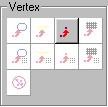
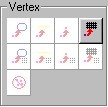
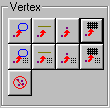
The Vertex box is where you find 'snap' tools.  Snap tools are very powerful.  Master them and building complex structures will be a pleasure instead of a chore.  Use them for accuracy, fixing faces and bad shells, and getting back on grid.

The Snap tools move the selected vert or verts to a selected target (edge, vert, grid point, or plane of a face).  It does not attach them so you still need to remove extra verts or use Add to current edge (whichever applies).

The first 4 move the Marked vert or verts to the target. 
The second 4 will move the Current vert to the tartget and move any marked verts in the same direction.
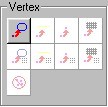

 
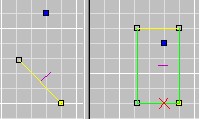
Snap Marked Vert To Plane of Current Face

When you point to the tool it says 'Snap marked to Face" but always read the full prompt at the bottom.  It snaps to PLANE of the face. It might hit it it might not.  Check out the examples.

It's great for accuracy but also comes in handy for making non-planar faces planar.
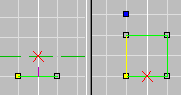
Mark a vert(s), make the face  who's plane you want it on current. Pick the tool. 

The vert travels in line perpendicular to the current face.
 

Before
After
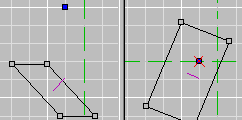
In the Example below I tilted the face down toward the vert.  This way you'll see that that the grid has no influence on how the vert travels.  This why I recommend you always save before applying this tool.  the results aren't always what you expect.
Before
After


Snap Vert To Line of Current Edge

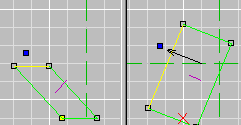
This tool will move the marked vert to the line of current edge, not necessarily the edge itself.  Imagine the edge runningto infinity in both directions.  the Vert will travel on a line perpendicular to the line of the edge. 

Note that when you point to it it sayes "Selects Next Player Start"  Hehe.. bugs. 
 
Mark the vert(s) to be moved. 
Make the face current then use 'E' the get the edge you want current.  Pick the tool.
Before
After
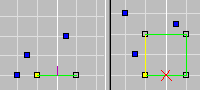
If you move serveral verts at once they will all travel their own path.  It wont be relational.

Watch to the right.

Before
After


Snap Marked Vert to Current Vert

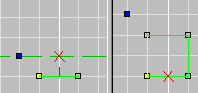
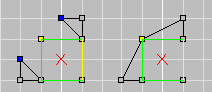
Mark verts you want to move.  Make the target face current.  Use 'V' to make the target vert current.  Pick the tool.

In the example to the right you see how this is a great way to fix bad shells.
 

Before                  After

Snap Marked vert To Grid

Moves the marked vert(s) to the nearest active grid point.  Great for getting back on grid but I recommend doing only one at a time if you need any control.  Watch below.
 
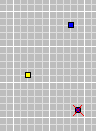
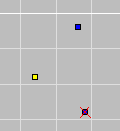
Put in some verts with the grid set to 1 Next I change the grid to 10. Pick the tool. See they move to vert nearest to themselves.

Continue Quick Tool Review

Back to Papacat's main page.