|
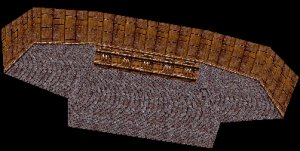
Extruding pillars and various 'effects' objects, such as pipes, is one of my favorite things about creating a level. Because I know I have a 'sealed' level already and I don't have to worry about messing with the shell anymore, I can just be creative and make the rooms themselves look nice. In this tutorial, we will be making a few simple objects to spice up the room to the right.
|
|

|
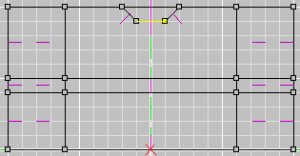
First I decided to add my lighting to the ceiling of the room. Created a small shape of what I want the light to look like and I extruded that face 3 times across the room, once by 10 units, then by 60 units, then by 10 units again. I did this because then I can texture the light to look like it is being held in place by part of the structure. To the right are two pictures, the first one is the shape I used (in the "Side (ZY)" view) and then in the 3D view below it.
|
|
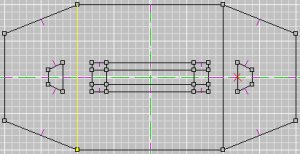
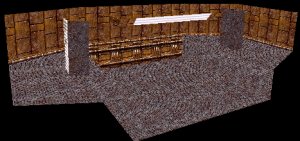
To finish the lighting I added two more lights on each side of the level, this should illuminate not only some parts of the level that the large middle light can't reach, but the portals to the next rooms. This was just one simple extrude and texture. Also, these pillars are just big enough for a player to hide behind and get cover from weapon fire (and to elude homing weapons). The top picture is the "Top (XZ)" view and the bottom one is the 3D view again.
|
|
|
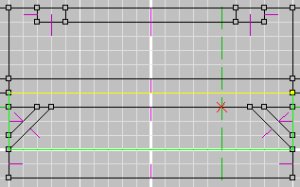
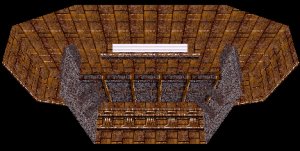
On a whim, I decided to add a bridge across the gap. It would be cool to be able to fly under the bridge to dodge too, but the current depth of the gap isn't large enough, I extruded another 10 units from the floor, giving me plenty of room for some work. I started with making the bridge itself, which is more or less a cube. After that I added some supports by creating them in the "Front (XY)" view and extruding them sideways. The pictures to the left is a view of the "Front (XY)" view (I cropped off the sides of the room) and the 3D view again.
|
|
And if we look at it inside Descent3, it looks pretty cool. Though it is a bit dark, that is the effect that I like in my levels. I like places where you can hide deep in the shadows. When doing extruding effects like this though, you have to remember to give the players ample room to maneuver and dodge oncoming weapons fire. Though extruding like this can make your level look more realistic, you also want the players to enjoy the game.
|

|