|
This lesson will give you some examples on how to use the lathe function to create indoor objects, such as pillars. I'm going to use the room I created for one of the extrude tutorials because I like the design of it.
|

|

|
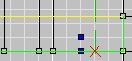
First, I want to make some pillars along the edges, which will allow players to dodge weapons fire and evade homing weapons easier, much like I did with the extrude tutorial. You want to make your rooms playable and look good. Notice I moved the referance point (the green lines that define the axis). Remember that lathing goes AROUND the axis, so you have to position the axis where you want the center of your lathe to be. You can re-position the referance point by holding down Ctrl and clicking on a 2D view.
|
|
After I lathed one pillar I did the same thing to the other side. After that I added a few lights around the room by lathing just like the large pillars, but only much shorter. The screenshot on the top shows what the lights looked before I lathed and then the one below that shows a 3D view of after I lathed all of the lights in the room.
|

|

|
After all that I figured that this level needed a reactor-like object. They are really cool looking in a level and they are pretty easy to make. I did the same thing as the pillars only that I 'staggered' the verts more, in other words, the verts airn't in a straight line. After that, I lathed the verts and textured the results.
|
|
And here is the result in Descent 3. As you can see even a few simple lathings can make a room look superior. Though, just like extruding, you have to make sure that the level itself is easily navigatable so players don't get cought on walls in a firefight.
|

|