|
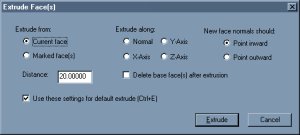
Extrude is not only the most basic of the three geometric actions, but it is the one I use the most. Not only is this function perfect for making pillars and pipes quickly, it also efficiently creates a 'sealed' shell of a room with a few simple clicks.
|
|
|
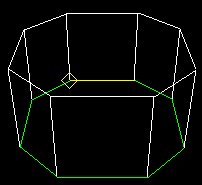
Explaining the extrude function is pretty easy. All it does is copy the selected face and paste a second face a set distance away, after that it creates faces around the 'side', thus sealing it. The picture to the left shows an extruded octagon. See that it makes an exact copy of the selected face then adds the 'sides' to the faces making it a room.
|
|
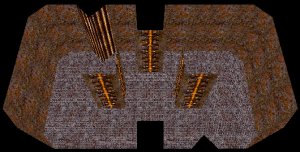
Once you get the hang of this function you will be able to make not only the shells of just simple rooms, but also the shells of complex looking rooms like the one to the right. And the best part is, that this function will give you no T-Joints or bad shells at all in your rooms. Now click onward to learn how to extrude.
|
|